Whether you're a creator separating personal content from your brand, an agency juggling client profiles, or a startup testing content across niche audiences, running more than one TikTok account is now the norm. The problem isn't can you do it. TikTok explicitly allows it. The problem is doing it well: staying organized, avoiding bans, tracking what's actually working, and not losing your mind in the process.
We've watched teams at Shortimize go from manually checking analytics on three separate TikTok logins to tracking everything from a single dashboard. The difference in productivity (and sanity) is massive. This guide covers everything you need to manage multiple TikTok accounts in 2026, from the initial setup to advanced scaling strategies that agencies and growth teams use every day.
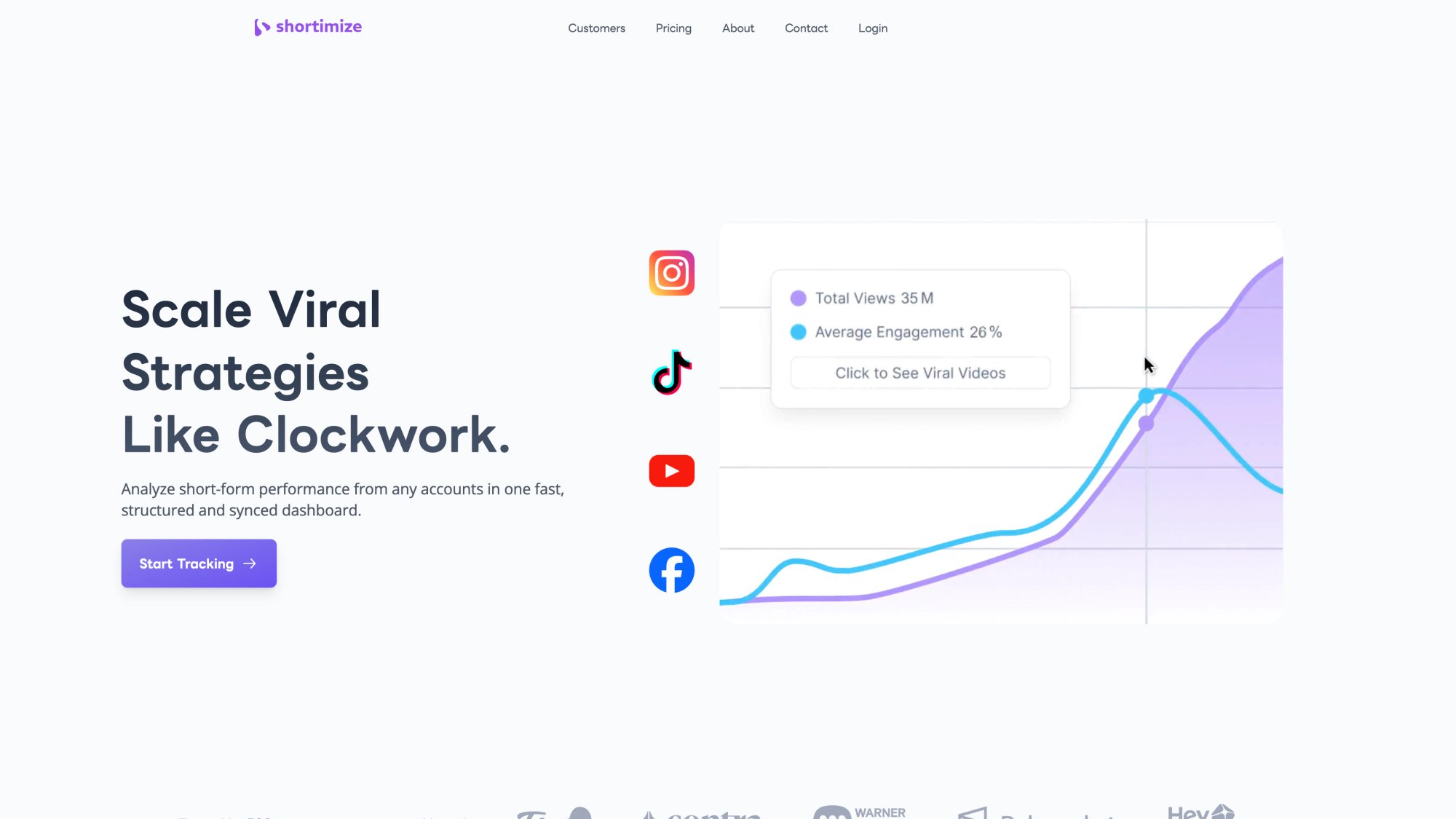
Shortimize's homepage shows exactly what that single-dashboard experience looks like in practice — analytics from every account, unified in one place.
Why Have Multiple TikTok Accounts?
Before getting into the how, it's worth being clear about the why. Running extra accounts isn't just about having more profiles. Each one should serve a distinct purpose.
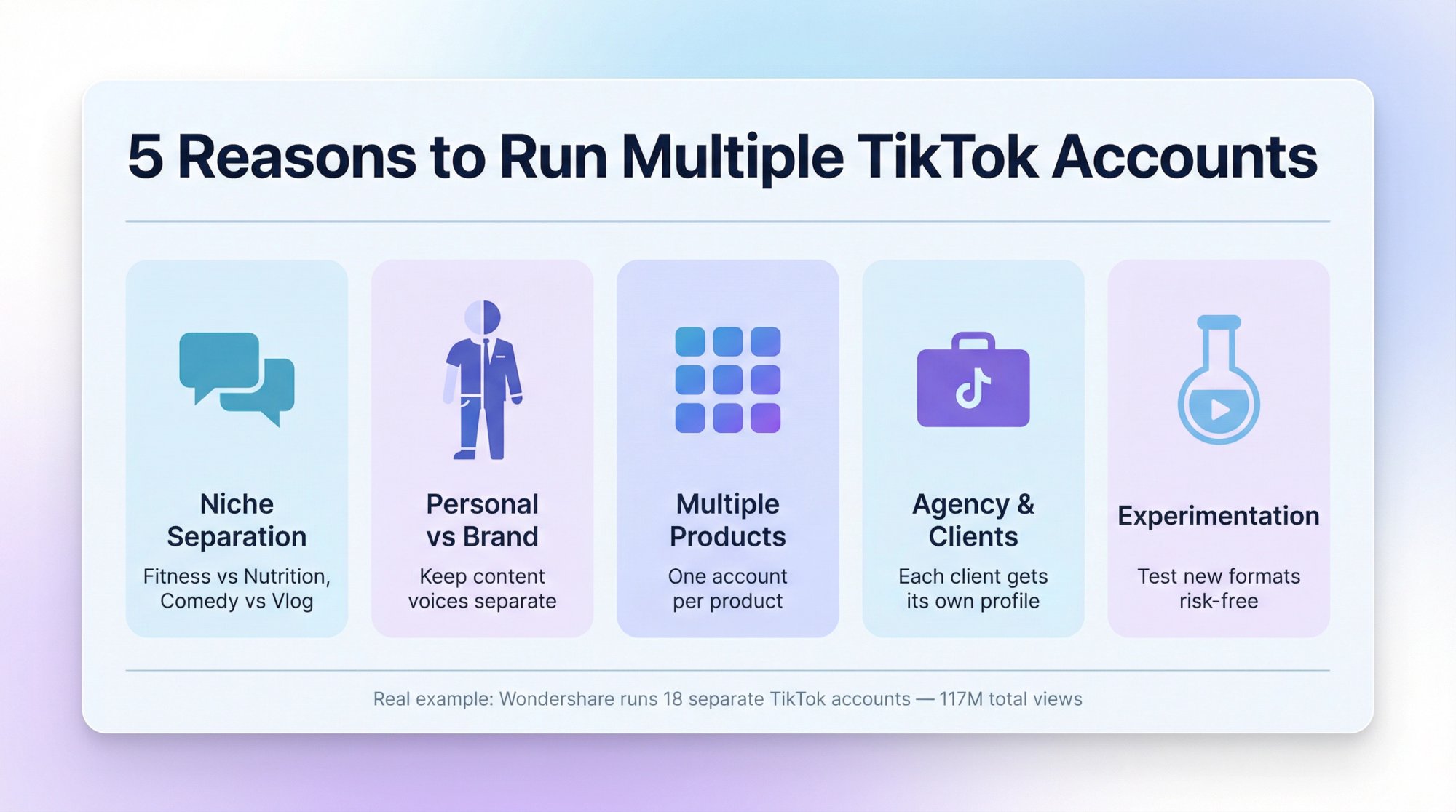
Different niches or audiences. A fitness creator might keep one account for workout content and another for nutrition tips. A comedian might split comedy skits from personal vlog-style content. Mixing everything into one feed confuses the algorithm and your audience. Understanding how the TikTok algorithm actually distributes content helps you see why niche separation matters so much.
Personal vs. business. Plenty of creators maintain a personal TikTok alongside a brand or product account. It keeps promotional content separate from the casual, off-the-cuff stuff that doesn't fit a brand image.
Multiple products or brands. This is where things get interesting at scale. Software company Wondershare operates 18 separate TikTok accounts, one for each product, racking up over 117 million total views by tailoring content to each product's specific audience. That kind of content segmentation is only possible with multiple accounts.
Agency or client management. If you manage social for clients, separate accounts per client (or per campaign) keep content, analytics, and brand voice properly isolated.
Experimentation. A secondary account is a risk-free sandbox. Test a new content format, try a different niche, experiment with posting times. If it flops, your main audience never sees it. Data from top-performing videos in your niche can guide what to test on your experimental accounts.
Real-world example: The music app Airbuds took multi-account strategy to an extreme. They enlisted creators to post on 50+ different TikTok accounts, publishing hundreds of videos per day to maximize reach. Most people won't go that far, but it shows what's possible when you treat multiple accounts as a deliberate growth lever. See how real growth teams use Shortimize to scale this kind of multi-account operation.
Hundreds of companies — from AI startups to consumer apps — already use Shortimize to manage this kind of multi-account complexity without the operational chaos.
TikTok Rules for Managing Multiple Accounts
TikTok doesn't prohibit multiple accounts, but there are clear boundaries you need to respect. Breaking them risks shadowbans or worse.
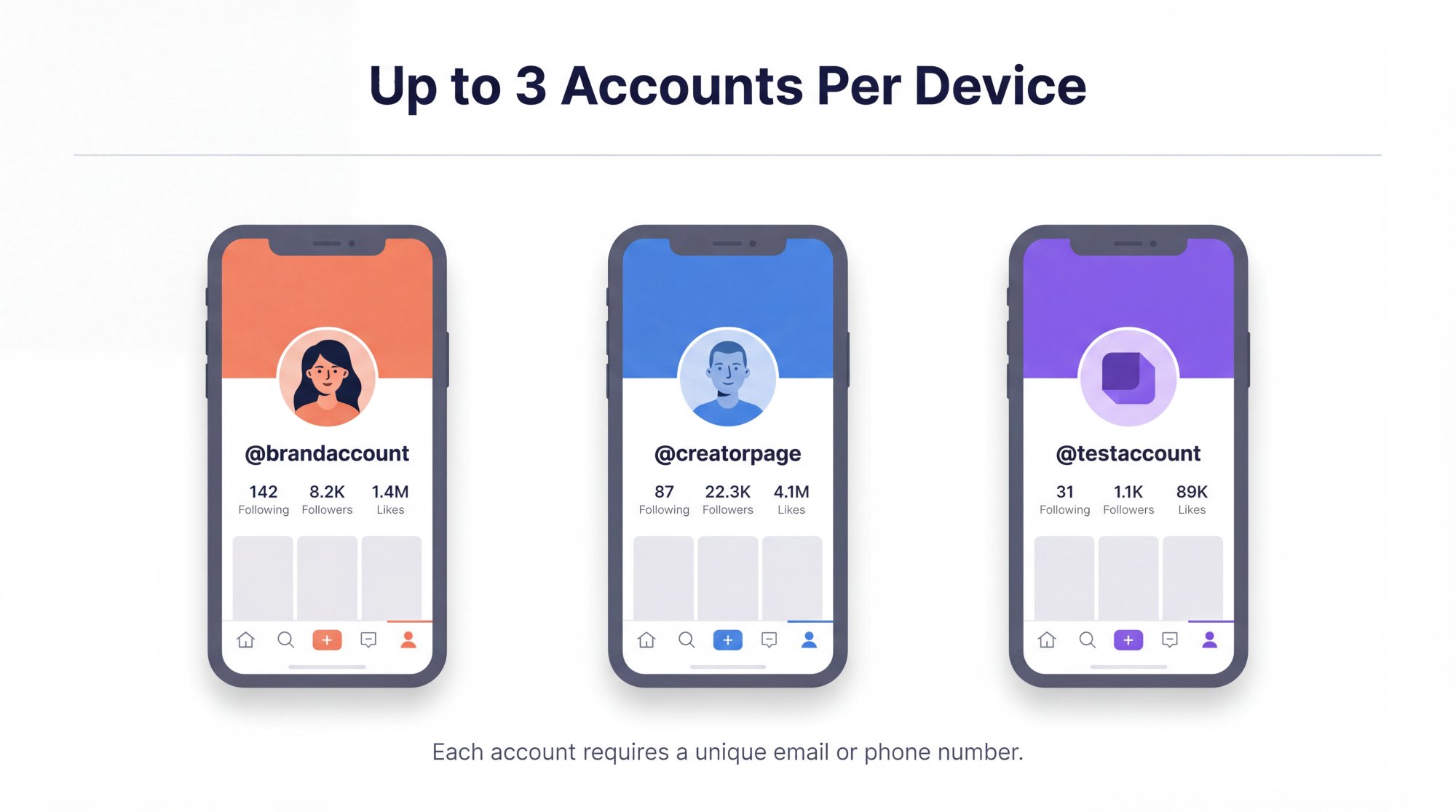
Multiple accounts are allowed. TikTok's Terms of Service permit users to operate more than one account, as long as each account follows community guidelines. There's no rule saying "one person, one account." But creating accounts to evade a prior ban or run spam operations is strictly prohibited and will get all your accounts shut down.
Each account needs a unique email or phone number. You can't reuse the same email for two TikTok accounts. If you're signing up with phone numbers, each account needs a different one. Plan this out before you start creating profiles, especially if you're setting up five or more.
The app supports up to 3 accounts per device. As of 2026, TikTok's mobile app lets you add and switch between up to three accounts using the built-in account switcher. Some users report being able to add up to five or six, but three is the officially supported limit. Pushing beyond that on a single device can raise flags.
TikTok Business Center exists for agencies and teams. If you're managing accounts on behalf of brands or clients, the TikTok Business Center is the official tool for it. You can request access to client TikTok accounts, assign team members, handle organic posting, and run ads from one centralized dashboard. No password sharing, no constant device swapping. The accounts typically need to be set as Business Accounts to integrate. For a broader view of social media monitoring tools available in 2025, including how dedicated platforms compare to native options, it's worth seeing what else is out there.
| Rule | What It Means |
|---|---|
| Multiple accounts permitted | Yes, as long as each follows community guidelines |
| Unique credentials required | One distinct email or phone per account |
| Device limit | 3 accounts per device (officially supported) |
| Ban evasion | Strictly prohibited, can trigger device/IP bans |
| Business Center | Official agency tool for managing client accounts |
Quick tip: Never use someone else's phone number or a fake number to create an account. TikTok sends verification codes, and if you can't receive them, you'll lose access permanently.
How to Add and Switch Between Multiple TikTok Accounts
The actual setup process is straightforward. Here's how it works:
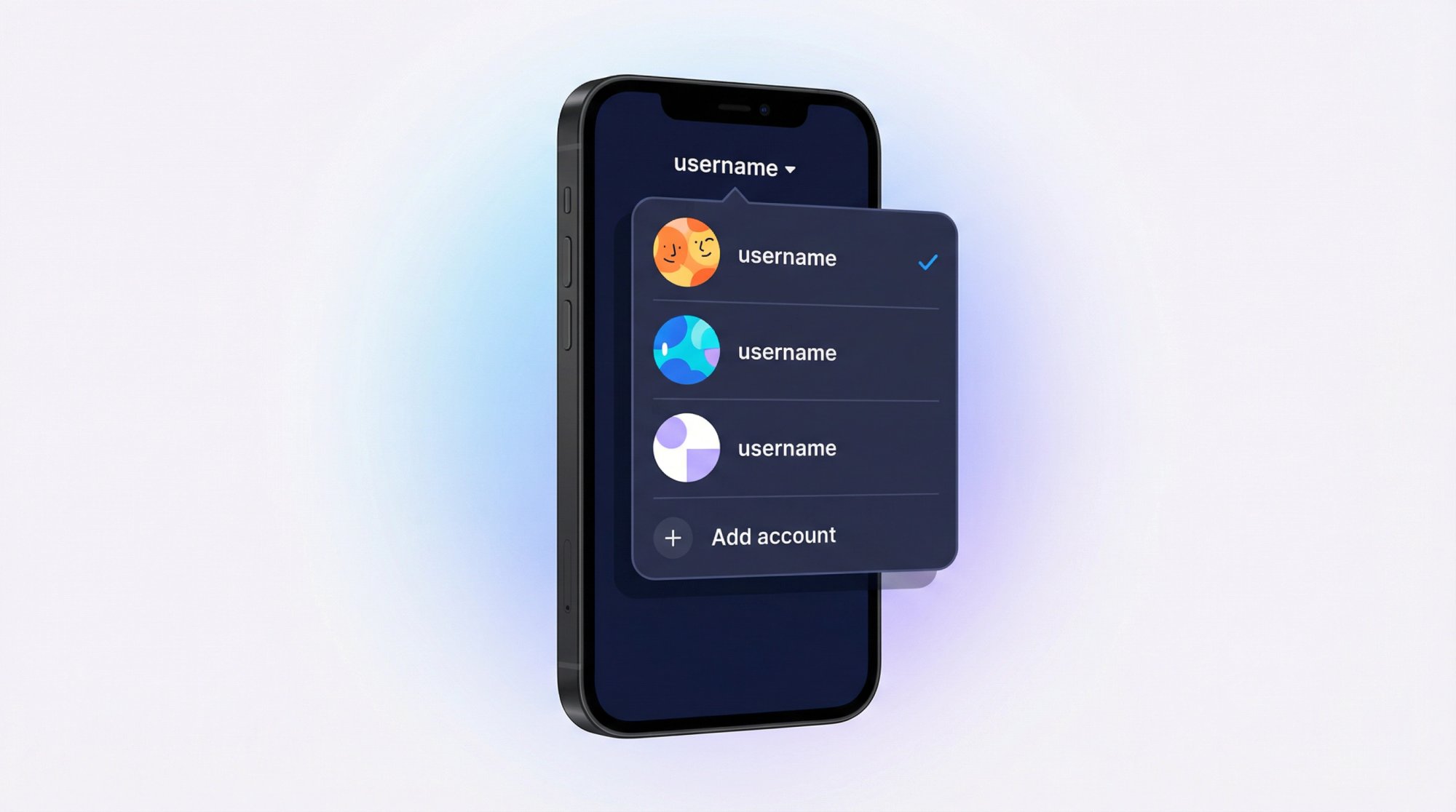
① Create the new account. Open the TikTok app and tap your Profile icon (bottom right). Tap your username at the top of the screen, and you'll see an "Add account" option in the dropdown. Tap it and follow the sign-up flow. Use the unique email or phone you've set aside for this account. Set a distinct username and password. Once your account is live, you can use Shortimize's TikTok account analyzer to start tracking its performance from day one.
If you prefer desktop, you can also create accounts via TikTok.com or TikTok Studio, but you'll still need unique credentials for each.
② Switch between accounts. Once you've added multiple profiles, switching is instant. On your profile page, tap your username at the top. A list of your accounts appears. Tap the one you want, and the app swaps to that account's feed and profile immediately. No logging out required. TikTok keeps you signed in to all added accounts and just toggles your view.
③ Don't over-switch. Avoid rapid back-and-forth switching in a short time span. TikTok's security system can interpret extremely frequent toggling as suspicious activity.
④ Separate each profile. Treat every account as its own identity. That means a unique username, bio, and profile photo for each one. Running two accounts with identical profiles and content looks like spam to TikTok and will likely get flagged. A TikTok bio generator can help you quickly create distinct bio copy for each account.
Once you've done this, you're comfortably managing up to three TikTok accounts on a single device. Need more than three? The advanced strategies section covers that.
How to Safely Run Multiple TikTok Accounts
Creating the accounts is the easy part. Keeping them organized, active, and in good standing is where the real work begins.
How to Avoid Getting Banned on Multiple TikTok Accounts
TikTok takes platform integrity seriously. If you operate multiple accounts in ways that look spammy, you risk reduced visibility (shadowbans) or permanent bans across all your accounts.
The five rules that matter most:
→ Follow community guidelines on every single account. A violation on one account won't automatically ban your others, but it draws scrutiny. Whatever you do, never use your accounts to like or comment on each other's content to inflate stats. TikTok detects coordinated inauthentic engagement and penalizes it.
→ Post unique content to each account. Avoid uploading the exact same video across multiple profiles. TikTok's algorithm flags duplicate content as spam and tends to limit reach for reposted videos. If you're repurposing a video, at least edit or customize it for the new audience. Knowing what video lengths perform best on TikTok versus other short-form platforms helps you tailor content meaningfully for each account.
→ Be aware of IP and device signals. TikTok tracks device IDs, IP addresses, and login locations. Running two or three accounts from one phone on the same Wi-Fi? That's fine, and thousands of social media managers do it daily. But running ten accounts aggressively from one device and one IP starts looking like a spam farm. If you need many accounts, spread them across devices or use different networks.
→ Don't constantly log in and out. Use the built-in switcher. Rapid logins from the same device can trigger security alerts.
→ Never create a new account to evade a ban. If one account gets penalized, don't spin up a replacement. TikTok can ban devices and IPs when it detects ban evasion. Appeal the original ban instead.
What's a shadowban? It's when TikTok quietly limits your reach without telling you. Your videos stop appearing on the For You Page, new posts get abnormally low views, and you might even lose followers. Shadowbans typically last one to two weeks and are a common consequence of spam-like behavior. If you notice sudden performance drops across your accounts, scale back and focus on genuine content. Learn how to diagnose and fix performance drops using social media monitoring so you catch issues early.
You can also use Shortimize's early-warning dashboard to spot suppression signals before they become major problems. If one account suddenly shows a sharp drop in views, the platform flags it immediately rather than letting it go unnoticed for weeks. For a deeper look at what suppression actually looks like, the guide on how to tell if TikTok is suppressing your video walks through the warning signs in detail.
How to Build a Content Calendar for Multiple TikTok Accounts
Managing content across multiple accounts without a calendar is a recipe for chaos. You'll forget to post, accidentally reuse content, or neglect your secondary accounts entirely.
A content calendar doesn't need to be complicated. A Google Sheet works. So does a Notion board, a Trello kanban, or Google Calendar entries for each posting slot. The point is to have a visual system that answers: what goes where, and when?
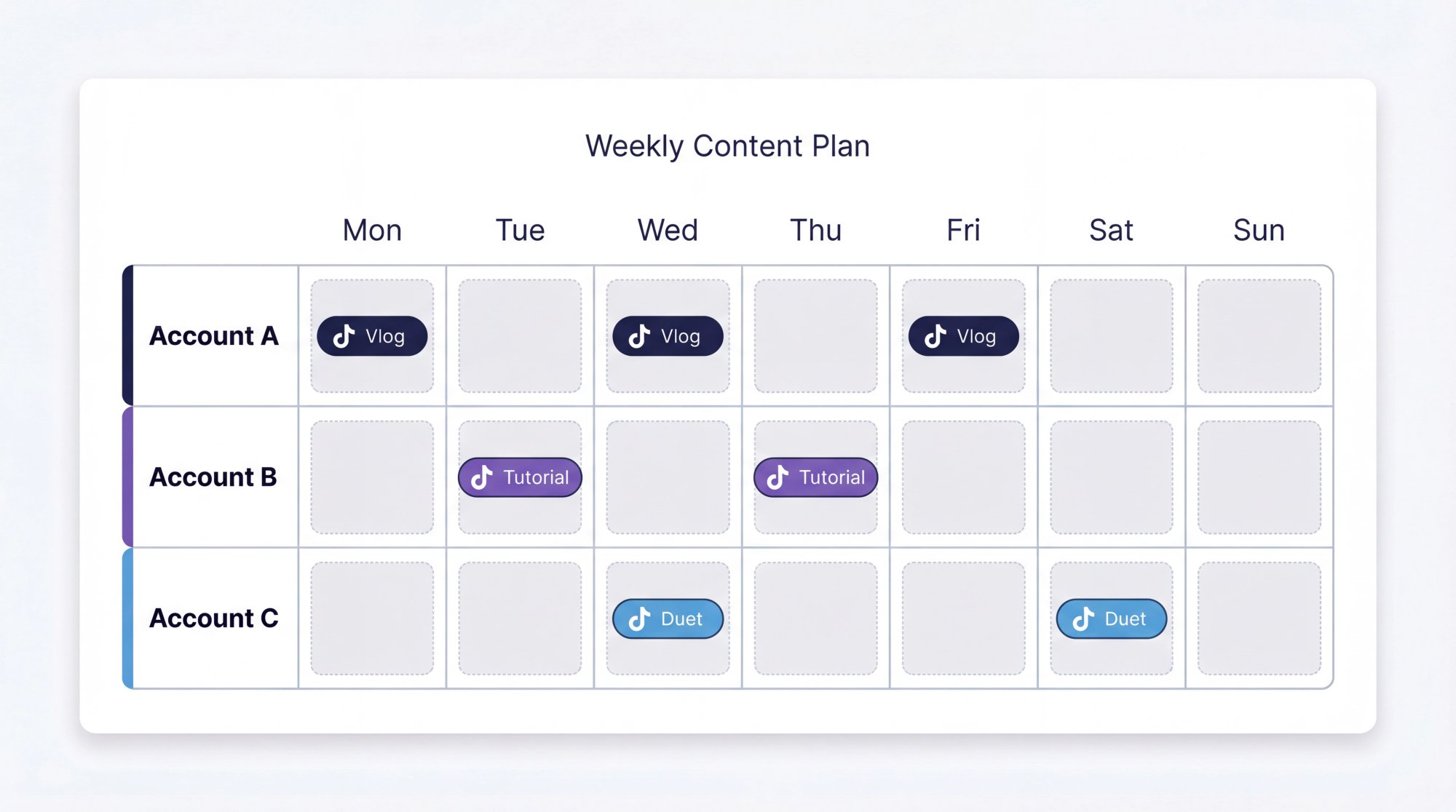
Here's what to plan for each account:
Theme clarity. Write down what each account focuses on. Account A = behind-the-scenes vlogs. Account B = product tutorials. Account C = user-generated duets. This prevents overlap and keeps each account's voice consistent.
Posting frequency. Your primary account might need daily posts. A secondary account might only need three per week. Be realistic. Consistency at a sustainable pace beats burnout. Research on how often to post on TikTok shows that posting cadence is one of the highest-impact variables in account growth.
Batch creation. Designate specific days to film and edit content for each account. Filming five videos for Account A on Sunday, then Account B's content on Monday, is far more efficient than context-switching between accounts every single day.
Coordination tools. Whatever tool you use, make sure your team (if you have one) can see the plan. A shared content pipeline where everyone knows what's been filmed, edited, and scheduled makes collaboration significantly smoother.
How to Schedule TikTok Posts Across Multiple Accounts
Posting in real-time across multiple accounts gets chaotic fast, especially when you're trying to hit different peak times for different audiences.
TikTok's native scheduling has improved significantly. As of 2026, creators and business accounts can schedule posts up to 10 days (and in some cases 30 days) in advance using both the desktop uploader and the in-app scheduling feature. It's not perfect: the mobile scheduler is still rolling out to all users, and scheduled posts may not support every interactive feature available in live posting. But for straightforward video content, it's a solid time-saver.
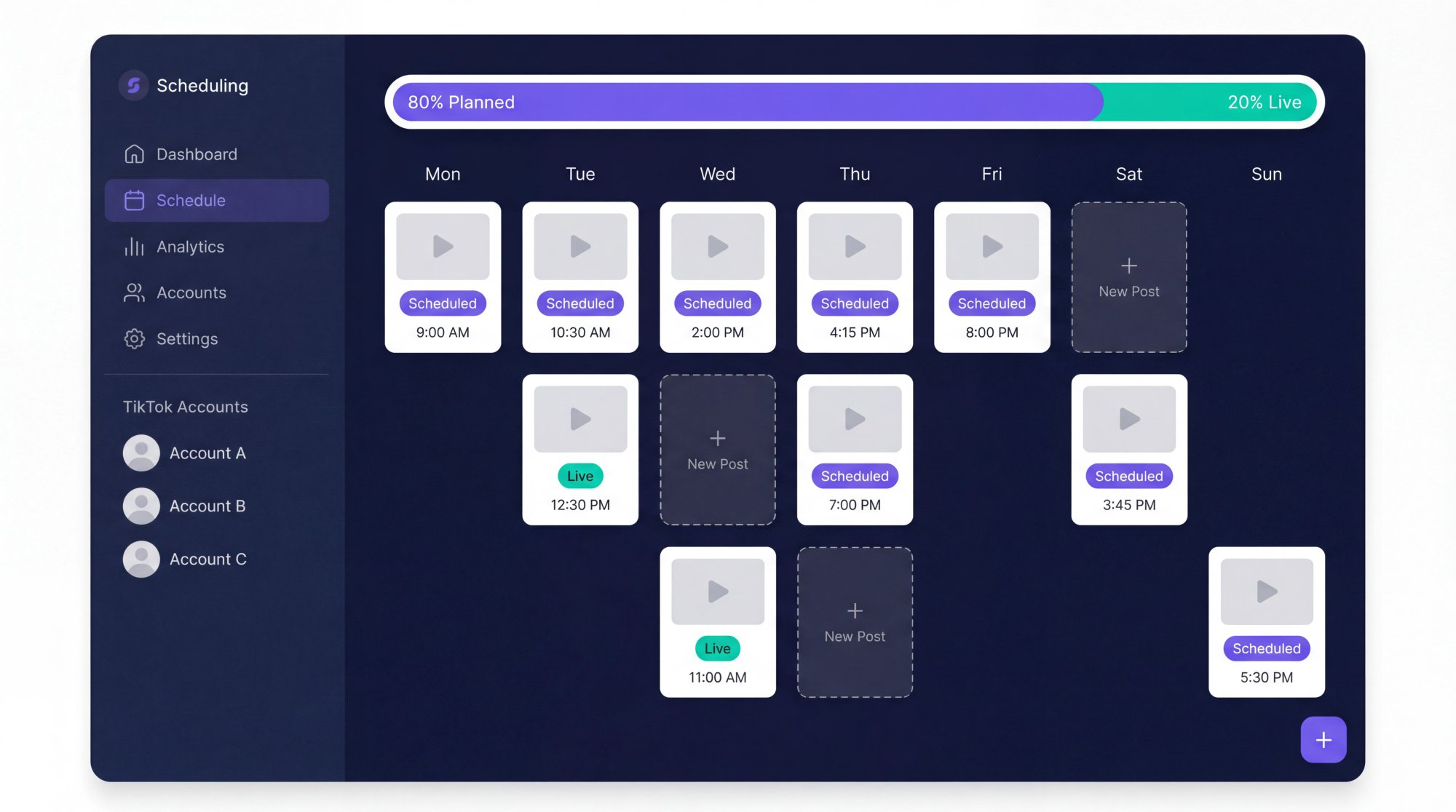
Third-party scheduling tools fill in the gaps. Various platforms let you connect multiple TikTok accounts and schedule content from one interface. You'll typically need your accounts set as Pro or Business accounts to connect via TikTok's API. Once set up, you can draft posts (including captions and hashtags) and queue them for the best times across all your profiles. A TikTok caption generator and TikTok hashtag generator can speed up the drafting process considerably when you're preparing batches of posts for multiple accounts.
A practical rule that works well: plan 80% of content in advance and leave 20% for real-time opportunities. A rigid schedule shouldn't stop you from jumping on a viral trend the moment you spot it. The best multi-account operators build that flexibility in from the start.
How to Track TikTok Analytics Across Multiple Accounts
This is where most multi-account managers hit a wall. Checking analytics means logging into each account individually, navigating to Creator Tools, scrolling through dashboards, and trying to remember what you saw on the last account. Multiply that by five or ten accounts, and it's a full afternoon gone.
TikTok's built-in analytics are decent for a single account. Switch your profile to a Pro or Business Account (free, just a settings toggle), and you get access to:
Video views over time
Follower growth
Engagement metrics (likes, comments, shares per video)
Audience demographics
Peak active times
Traffic sources
Check these for each account at least weekly. Knowing what a good engagement rate on TikTok actually looks like gives you a benchmark to evaluate each account objectively.
A dedicated tool changes this picture completely.
Shortimize's analytics platform lets you track and analyze multiple TikTok accounts in a single, unified dashboard. Here's how it stacks up against checking things natively:
| TikTok Native Analytics | Shortimize | |
|---|---|---|
| Accounts in one view | No (login per account) | Yes |
| Cross-platform (Reels, Shorts) | No | Yes |
| Virality indicators | Limited | Yes |
| Collections/grouping | No | Yes |
| Data export | Limited | Yes |
| Posting cadence analysis | Basic | Advanced |
Shortimize's analytics page makes the "one view for all accounts" promise concrete — paste any TikTok URL and get advanced insights without toggling between logins.
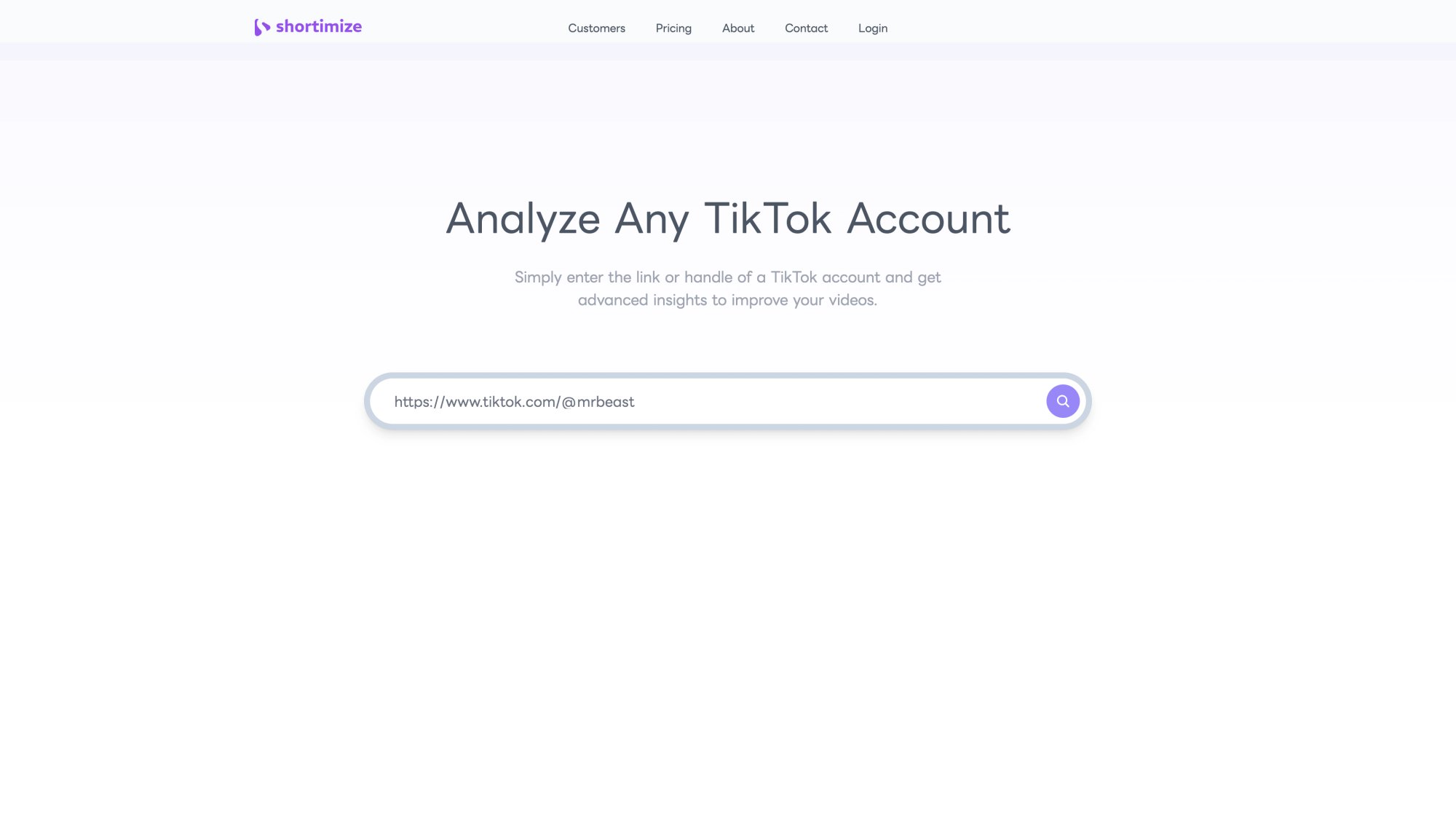
For teams managing many accounts, Shortimize's analytics surfaces the insights that matter most: which account has the highest engagement rate this month, which videos went viral across your portfolio, what posting schedules drive the most views. The Collections feature lets you organize accounts into groups (say, all your beauty brand accounts in one collection, all your tech accounts in another), so you're not drowning in a flat list of profiles. Explore Shortimize's full feature set to see everything the platform offers for multi-account management.
And the time savings compound. Instead of manually compiling spreadsheets from each TikTok profile's analytics, everything is aggregated and exportable. Growth teams at companies like Amo and Airbuds use this kind of setup to track content across dozens of accounts without the operational overhead.
Use the data to actually improve. Double down on what works for each account. If Account C's DIY tutorials consistently outperform everything else, plan more of those. If one account isn't growing, analytics will show you whether it's a content problem, a frequency problem, or a niche problem. Understanding why TikTok videos get zero views can help you diagnose content or distribution issues quickly. Cross-pollinate learnings too: if you discover that videos under 15 seconds crush it on your meme account, test shorter videos on your other accounts too.
Tracking the difference between qualified views and total views across your accounts gives you a clearer picture of real audience engagement, not just raw numbers.
How to Handle Engagement Across Multiple TikTok Accounts
More accounts means more comments, more DMs, and more community interactions to manage. Staying responsive matters because TikTok's algorithm rewards engagement, but bouncing between accounts to reply eats up time.
Block out dedicated engagement time. Instead of constantly checking each account for new comments, set specific windows. Fifteen minutes in the morning on Account A, fifteen on Account B, then repeat in the evening. Batch-processing engagement is more efficient than scattered checking throughout the day. This is also a good time to monitor brand mentions on TikTok to catch conversations about your products or content happening beyond your own accounts.
Consider unified inbox tools. Some social media management platforms offer a combined inbox where comments and DMs from all linked accounts show up in one feed. This means you can reply to TikTok comments across multiple accounts without manually switching in the app.
Keep cross-account engagement authentic. It's fine if your accounts occasionally interact with each other in a natural, relevant way (like a brand account commenting on the CEO's post). But don't have your accounts systematically like and comment on each other's content. TikTok can tell, and it looks exactly like the artificial boosting they penalize. You can learn more about how to tell if an influencer has fake engagement. The same signals apply to your own accounts if TikTok reviews them.
How to Manage Team Access Across Multiple TikTok Accounts
If you're running multiple accounts solo, it's going to feel like a full-time job eventually. Even one extra person on the team changes the equation significantly.

① Assign clear ownership. One person handles content creation for Account A. Another manages Account B. Or maybe you handle creative direction while a colleague handles editing and posting for all accounts. The key is that everyone knows who owns what. Shortimize's team collaboration features include multi-seat access across plans, making it easy to give teammates dashboard visibility without sharing account credentials.
② Use project management tools. Trello boards, Asana tasks, or Notion databases work well for mapping out each account's content pipeline: idea, filming, editing, scheduled, published. Team members can update status so nobody's guessing what's been done.
③ Use TikTok Business Center for access control. You don't need to share passwords. Add team members to your TikTok Business Account via Business Center with editor or admin permissions. They can post and view analytics without knowing the account credentials, and you can revoke access instantly if roles change.
URL: https://ads.tiktok.com/help/article/about-managing-tiktok-accounts-in-business-center
Location: Team Access section — directly after the Business Center access control explanation
Instructions: Open the URL in a desktop browser at 1920×1080, dismiss any cookie banners, capture the above-the-fold article view showing the TikTok Business Center title and intro. Save as images/screenshots/screenshot-sc-04-tiktok-business-center-1920×1080@2x.png and replace this placeholder block with: [MISSING_IMAGE: TikTok Business Center documentation page showing how to manage multiple TikTok accounts with team access controls || images/screenshots/screenshot-sc-04-tiktok-business-center-1920×1080@2x.png]
Failure reason: net::ERR_CONNECTION_TIMED_OUT — ads.tiktok.com appears geo-restricted or rate-limited in automated capture environment. Capture manually from a browser.
④ Check in regularly. A quick weekly sync on what each account accomplished and what's coming up keeps everyone aligned. It's also where cross-account ideas get shared: maybe the person managing Account B has a content idea that would work perfectly on Account C.
How to Manage More Than 3 TikTok Accounts
Most individuals and small brands will be fine with two or three TikTok accounts on a couple of devices. But if you're running a growth operation, an agency, or a network of niche pages, here's how the scaling game works.
Multiple devices. TikTok's three-account limit is per device. An extra smartphone or tablet gives you three more slots. Just be mindful that using them on the same Wi-Fi network still links those accounts via IP address. Where possible, separate them: mobile data on one device, Wi-Fi on another, or different networks entirely.
Anti-detect browsers. Various tools create isolated browser environments, each with its own fingerprint, that let you log into many TikTok accounts from a single computer. Each browser profile behaves like a separate virtual device with its own IP, cookies, and device identity. This is how professionals manage 10, 20, or 50+ accounts without the app's switcher.
This is a very advanced tactic with real subscription costs for both the software and proxies. Only go this route if you genuinely need it at scale. Most growth teams don't.
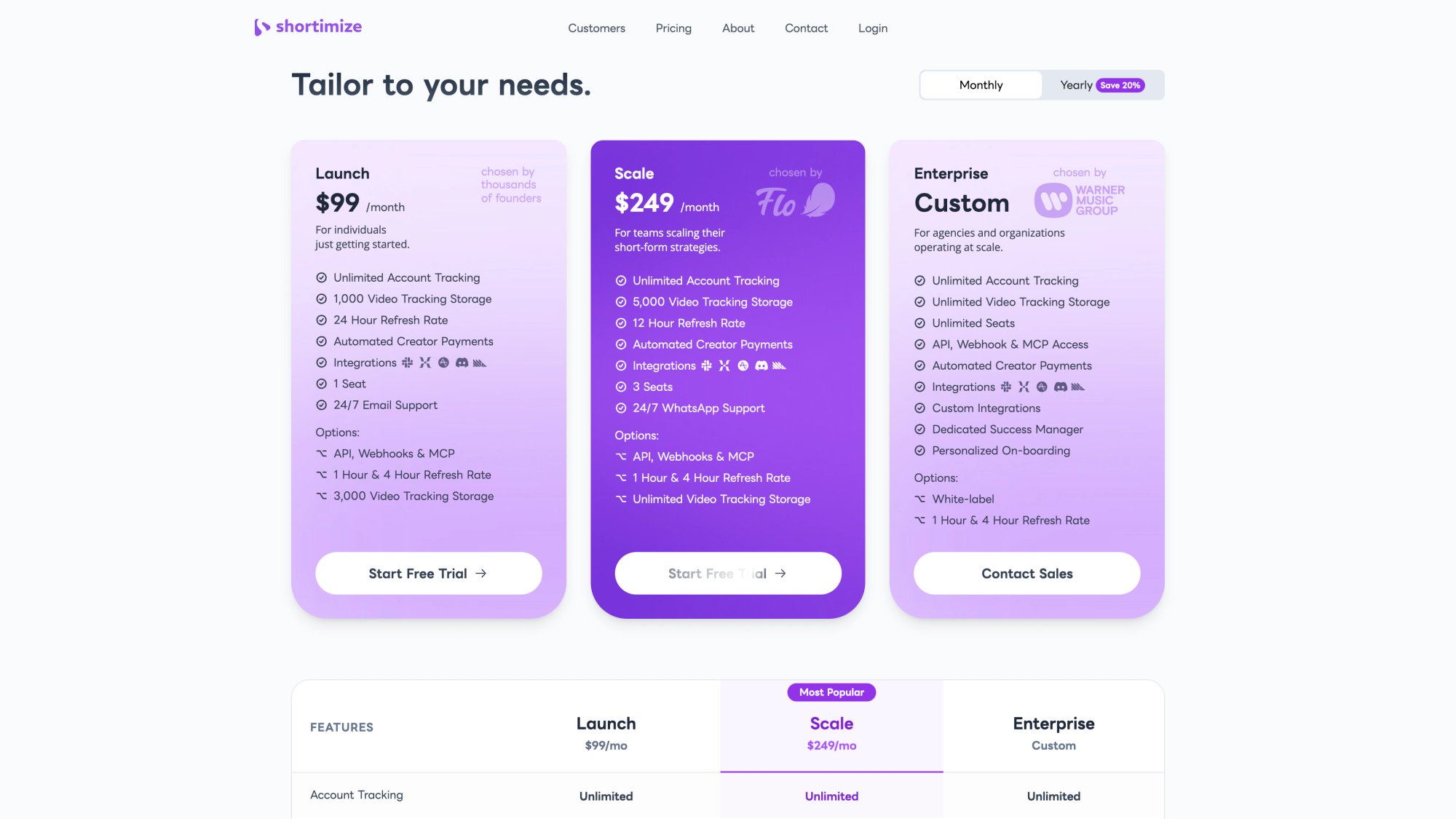
When you're operating at this scale, the right tool setup makes a measurable difference. Shortimize's pricing is built for teams that track hundreds or thousands of videos across multiple accounts — the Scale plan at $249/month includes 5,000 video tracking slots, 12-hour data refresh, and WhatsApp Founder Support.
Differentiate content ruthlessly. The more accounts you run, the more careful you need to be about content overlap. Even unintentional patterns (same caption style, same video on two accounts) can trigger TikTok's algorithm. Some large-scale operators maintain spreadsheets tracking which video idea went to which account specifically to avoid duplicates. Use Shortimize's social media monitoring to keep a current view of what each account is publishing and how it's performing, all from a single place.
Stagger your actions. Don't post the same type of content on six accounts at the exact same time. That's the kind of synchronized pattern that triggers spam detection. Stagger uploads by at least 30 minutes and vary your engagement routines across profiles. Tracking when your competitors post on TikTok can also help you find less competitive windows to publish for each of your accounts.
Monitor everything from one place. When you're running a high volume of accounts, Shortimize becomes essential for basic sanity. Beyond analytics, it functions as an early warning system. If one of your ten accounts suddenly drops in views (a possible shadowban signal), you'll catch it in the dashboard instead of discovering it two weeks later when you finally log into that account. The platform's Slack and Discord integrations can even notify your team instantly when a video goes viral across any of your tracked accounts, so you can capitalize on momentum in real time.
For teams that need to pipe performance data into their product analytics stack, Shortimize also integrates with Amplitude, Mixpanel, and PostHog, letting you sync TikTok metrics alongside your other business data without building custom pipelines. See the full Shortimize pricing plans, including the Business tier with 12-hour data refresh and API access, to find the right setup for the scale you're operating at.
Managing Multiple TikTok Accounts: The Complete Checklist
Managing multiple TikTok accounts in 2026 comes down to a few fundamentals that don't change regardless of how many accounts you're running. Here's the short version:
| What to Do | Why It Matters |
|---|---|
| Give each account a clear, distinct purpose | Overlap confuses the algorithm and dilutes your content |
| Use TikTok Business Center for team access | No password sharing, instant permission control |
| Switch analytics to Pro/Business (free toggle) | Unlocks data you'd otherwise be flying without |
| Track across all accounts with Shortimize | One view instead of logging in and out all day |
| Plan 80% of content in advance | Consistency without burnout |
| Never cross-promote with your own accounts | TikTok flags coordinated engagement, hard and fast |
| Review analytics weekly, drop what's not working | Data-driven decisions beat guessing every time |
The tools matter, but they're only as useful as the habits behind them. TikTok's built-in features handle the basics. For analytics, cross-platform tracking, and scale, Shortimize fills in what TikTok's native tools don't. The social media monitoring capabilities in particular turn reactive firefighting into proactive strategy.
Consistency is the variable most people underestimate. Steady posting and regular engagement on each account builds trust with both your audience and TikTok's algorithm. Bursts of activity followed by silence hurt more than slow-and-steady ever will. If you need a deeper foundation, the TikTok beginner guide covers the essentials for building a reliable presence from the ground up. A TikTok competitor analysis can also reveal what successful accounts in your niche are doing differently.
Whether you're managing two accounts or twenty, the path forward is the same: plan your content, use the tools that save you time, and let data guide your decisions. If you want to see all your TikTok accounts (and Instagram Reels, and YouTube Shorts) in one place, give Shortimize a try with a 7-day free trial. Your future self, the one who doesn't have to log into ten separate accounts every morning, will thank you.